
Basic PC requirements
Complete the required Windows, driver, security, firewall, virtualization, Secure Boot, Hyper-V, and Memory Integrity checks.
Basic PC requirements
Use this guide before running the loader. Complete the checks in order so Windows, drivers, security settings, and required platform features are ready.
0. Update drivers
Outdated graphics, chipset, network, and motherboard drivers commonly cause crashes, launch errors, and missing runtime components.
- Open Settings → Windows Update and install every available update.
- Open Advanced options → Optional updates and install relevant hardware-driver updates.
- Install the latest graphics driver directly from NVIDIA, AMD, or Intel.
- Restart the PC before continuing.
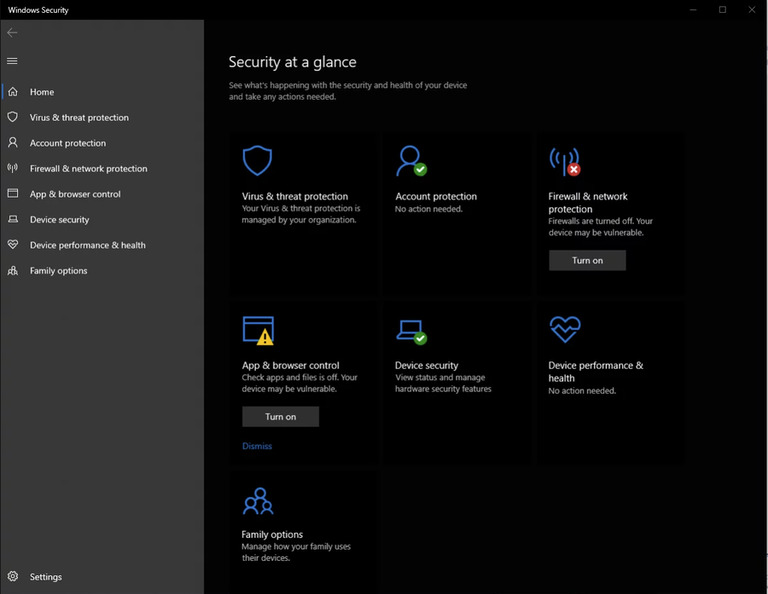
1. Open Windows Security
Open Windows Security and keep it available while you complete the remaining checks.
- Press the Windows key and search for Windows Security.
2. Virus & threat protection
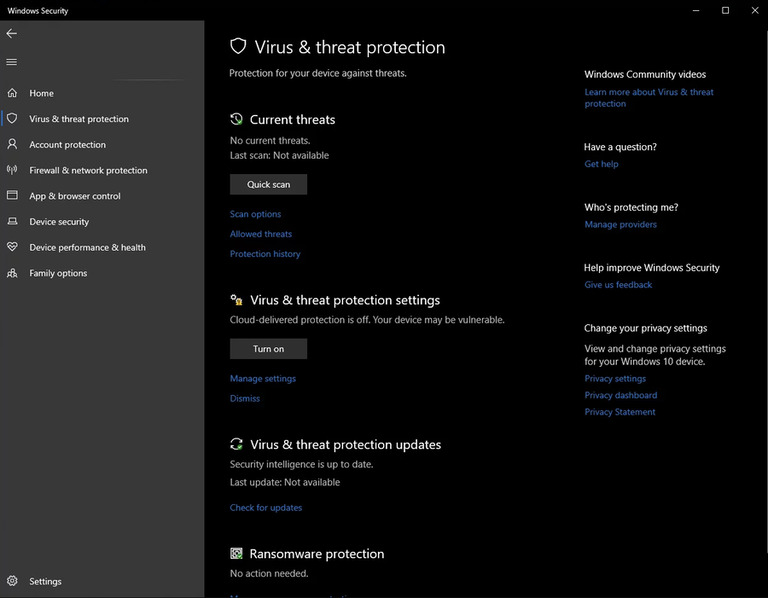
Navigate to Virus & Threat Protection
- Click on Virus & Threat Protection. You will see this screen:
3. Manage protection settings
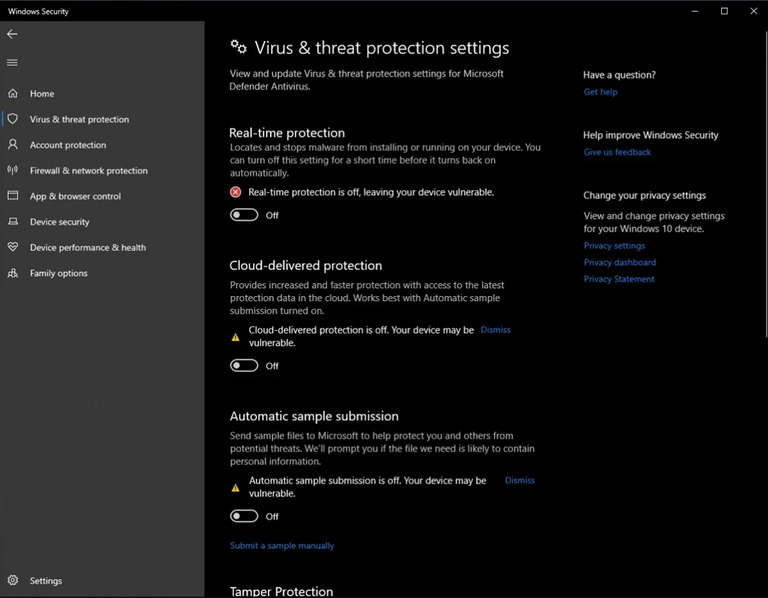
Manage Virus & Threat Protection Settings:
- Under Virus & Threat Protection Settings, click on Manage Settings. You will then see this screen:
- Turn off Real-Time Protection and all other options listed below.
4. Download Defender Control
You will need to disable Windows Defender. Use Defender Control, which you can download from here https://www.sordum.org/downloads/?st-defender-control (Password: sordum).
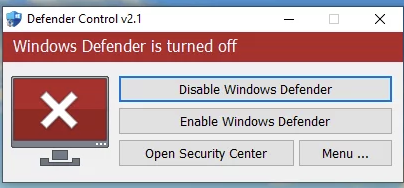
- Once you open Defender Control, you will see the following screen:
- Click Disable Windows Defender (you can re-enable it later if needed).
5. Verify Defender Status
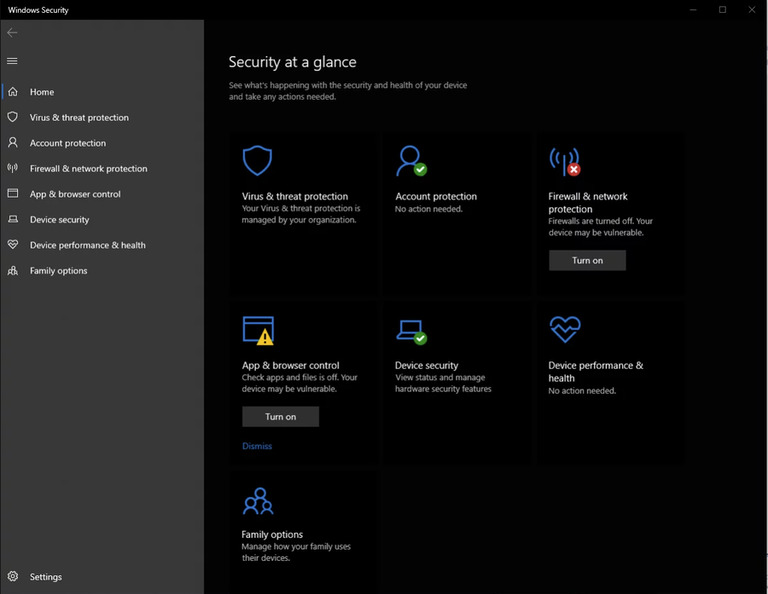
- After disabling Defender, the status should turn Red, as shown below:
6. Disable Firewalls
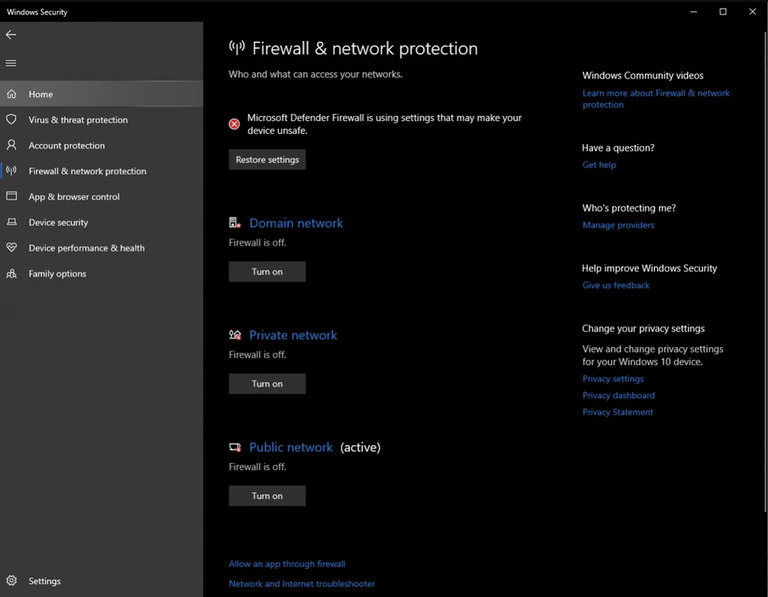
- Back in Windows Security, go to Firewalls & Network Protection. You will see this screen:
- Turn off all three firewalls.
7. Adjust App & Browser Control
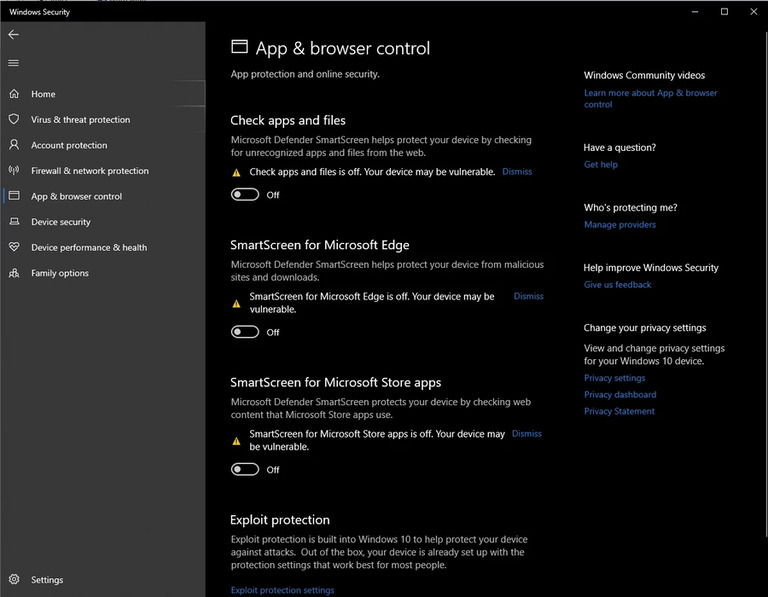
Go to App & Browser Control and turn off all options in this section:
8. Disable Core Isolation
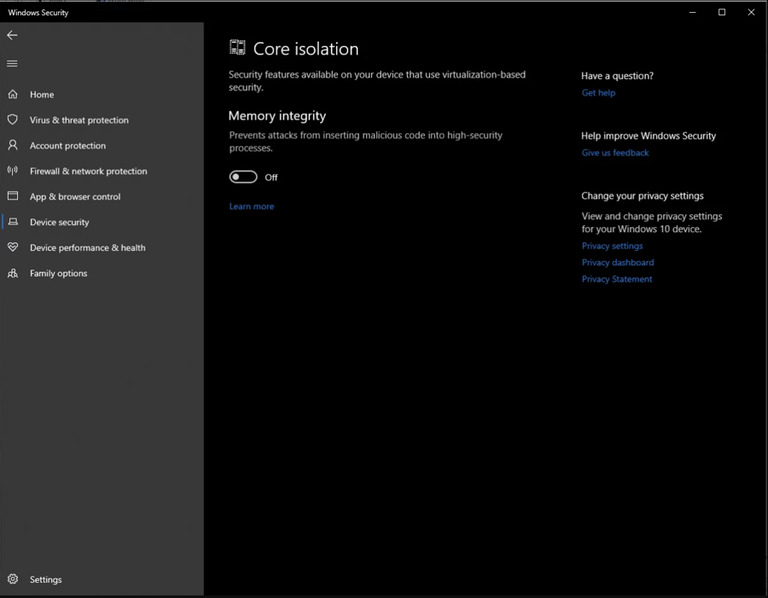
Navigate to Device Security and disable Core Isolation, as shown below:
Still need help?
Open a support ticket and include your order details, a screenshot, and the exact issue.
Open support